
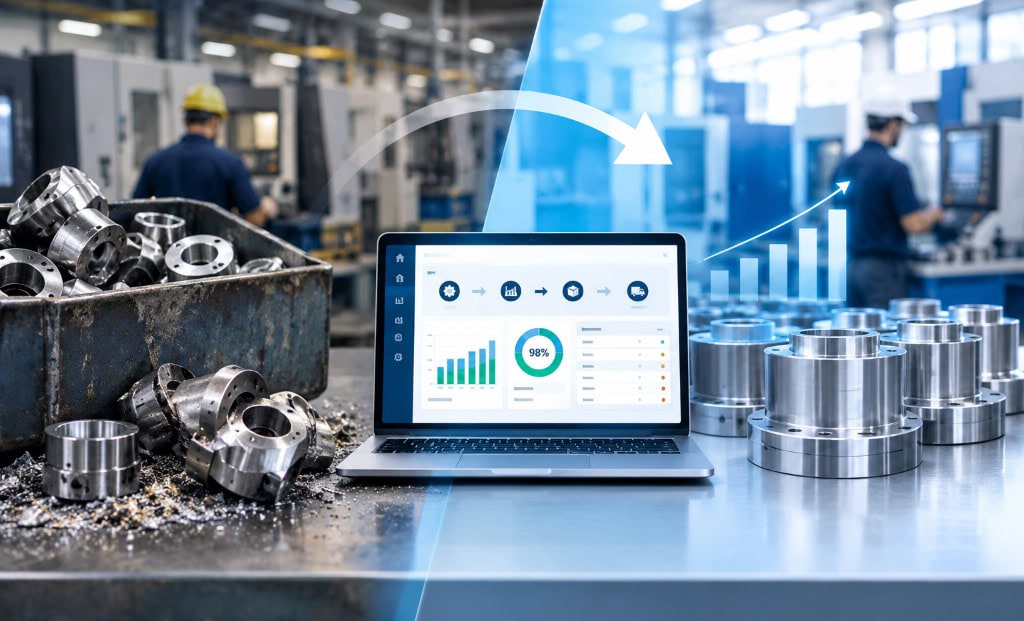
In manufacturing, scrap and rework are more than production inconveniences.
They increase operating costs, consume valuable resources, delay deliveries, and reduce profitability. Whether it is raw material wasted during production or finished products requiring costly corrections, these issues can significantly impact a manufacturer’s bottom line. The key to reducing them lies in improving process visibility, standardizing operations, and making informed decisions with a competent manufacturing ERP system.
Understanding the Cost of Scrap and Rework
Scrap refers to materials or products that cannot be used or sold because they fail to meet the required quality standards. Rework involves correcting defective products to bring them back into compliance with the respective industry standards.
Both can result from inaccurate production planning, inconsistent processes, machine malfunctions, incorrect material usage, inadequate quality checks, or communication gaps between departments.
When manufacturers rely on spreadsheets, manual records, or disconnected software systems, identifying the root cause of these problems becomes difficult. Without accurate, real-time information, recurring defects may go unnoticed, allowing the same issues to affect multiple production runs.
Scrap and rework create hidden costs that go far beyond wasted raw materials. Every defective part can consume labor hours, machine capacity, energy, consumables, and inspection time. Rework also delays production schedules, while scrap may require additional material purchases to fulfill customer orders.
Consider a manufacturer with annual production costs of $600,000. If 3% of its production costs are lost to scrap and another 2% to rework, the combined annual impact could reach $30,000.
| Cost area | Annual financial impact |
| Scrap losses (3%) | $18,000 |
| Rework costs (2%) | $12,000 |
| Total scrap and rework costs | $30,000 |
The impact becomes even more significant when manufacturers consider missed delivery deadlines, expedited material purchases, warranty claims, and lost production capacity.
How much could better processes save?
If improved production planning, quality control, and process visibility through an ERP system help reduce these combined losses by 30%, the manufacturer could potentially save $9,000 annually.
The objective is not simply to record scrap after it occurs. It is to identify the reasons behind waste, prevent recurring defects, and continuously improve manufacturing performance.
With an ERP system such as OmegaCube ERP, manufacturers can strengthen production and inventory visibility, improve coordination across departments, and use operational data to identify opportunities for reducing avoidable costs.
One of our customers, Power Brace Manufacturing reduced their scrap rate by 10 Times.
Before implementing OmegaCube ERP, Power Brace Mfg only knew their overall scrap rate in terms of steel weight that was hauled outside the factory premises in a scrap drum. They didn’t have a clue of which machine it was coming from and by which operator. There was no actual means of measuring the scrap rate and taking corrective measures.
With OmegaCube ERP, Power Brace Mfg could mark items as scrap or quality hold. This allowed them to track scrap rates per operator, per item, and per machine and that allowed them to cut down scrap by 10 times i.e., from a full 1% to 0.1% which is a huge reduction. Their quality assurance manager was involved in understanding the reporting and keeping a better track of scrap rates and overall quality control.
Read the Case Study to know more
How ERP Helps Reduce Scrap and Rework
An ERP connects production, inventory, purchasing, quality management, and shop floor operations within a unified platform. This integration enables manufacturers to identify inefficiencies, improve process control, and prevent avoidable waste.
Improve Production Planning and Scheduling
Poor production planning can lead to rushed operations, excessive machine changeovers, and errors caused by unrealistic production schedules. An ERP helps manufacturers align production orders with available resources, material availability, machine capacity, and delivery commitments.
With better scheduling and clearer work instructions, operators can follow planned processes more consistently, reducing the likelihood of production errors and material wastage.
Maintain Accurate Bills of Materials and Routings
Incorrect material specifications or outdated production instructions can result in defective products and unnecessary rework. An ERP helps maintain accurate Bills of Materials (BOMs), manufacturing routings, and revision-controlled product specifications.
By ensuring that production teams work with the correct materials and approved processes, manufacturers can reduce errors associated with incorrect components, quantities, and manufacturing methods.
Strengthen Quality Control at Every Stage
Quality checks conducted only at the end of production may identify defects after considerable time, labor, and material have already been invested.
An ERP can support quality inspections at incoming material, in-process production, and final inspection stages. Manufacturers can record inspection results, track non-conformances, and identify recurring quality issues.
Early detection allows teams to address defects before they affect additional units or entire production batches.
Gain Better Visibility into Shop Floor Operations
Limited visibility into shop floor activities makes it difficult to determine where defects originate. ERP integration with production reporting and machine monitoring, where available, can provide timely information about machine performance, production progress, downtime, and rejection rates.
Manufacturers can use this information to identify bottlenecks, investigate unusual rejection patterns, and take corrective action before small problems become larger production losses.
Track Root Causes and Prevent Recurring Defects
Reducing scrap requires more than recording rejected quantities. Manufacturers need to understand why defects occur.
An ERP can help connect quality issues with production orders, material batches, machines, operators, and process parameters, depending on the system’s capabilities and data captured. This traceability supports root-cause analysis and corrective and preventive actions (CAPA).
Over time, manufacturers can identify recurring patterns, refine processes, and establish more effective quality standards.
Measure Improvement with Meaningful Data
To determine whether improvement initiatives are working, manufacturers should monitor key performance indicators such as scrap rate, rework costs, first-pass yield, rejection rates, and cost of poor quality.
ERP-generated reports and dashboards help management evaluate these metrics over time, compare performance across production lines, and prioritize corrective actions based on measurable results.
Turn Manufacturing Data into Better Outcomes
Reducing scrap and rework requires a consistent approach to planning, execution, quality control, and continuous improvement. A Manufacturing ERP system brings these processes together, giving teams the information they need to prevent errors rather than simply correct them.
With better visibility, standardized workflows, and data-driven decision-making, manufacturers can minimize material waste, improve product quality, increase production efficiency, and protect profit margins.
With OmegaCube ERP, manufacturers can work toward greater process control, improved operational visibility, and more informed production decisions building a stronger foundation for quality and continuous improvement.
Reach out to us for a demo of OmegaCube ERP.



4 Responses
Just exploring your services
Interested in Ai ERP
This was actually more useful than I expected. The points about ERP integration were especially interesting.
The point about starting small resonates. We went through a similar hesitation before deciding to move, worried about change fatigue on top of everything else already in flux. What tipped it for us was realizing the alternative wasn’t “no change,” it was slower, messier change through manual workarounds that get harder to unwind every month. Starting with Finance and Inventory first, rather than a full rollout, made the whole decision less binary. For anyone weighing the same choice, this comparison of ERP software options is a useful reference for what a phased approach can look like in practice.